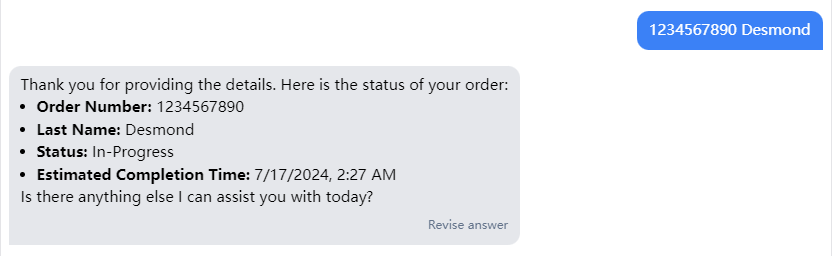
AI Action
Add an API for retrieving order status during a chat
1. Login
Log in to your Tier3 or Professional account.
2. Open your specific chatbot.
3. Navigate through Settings->AI Action
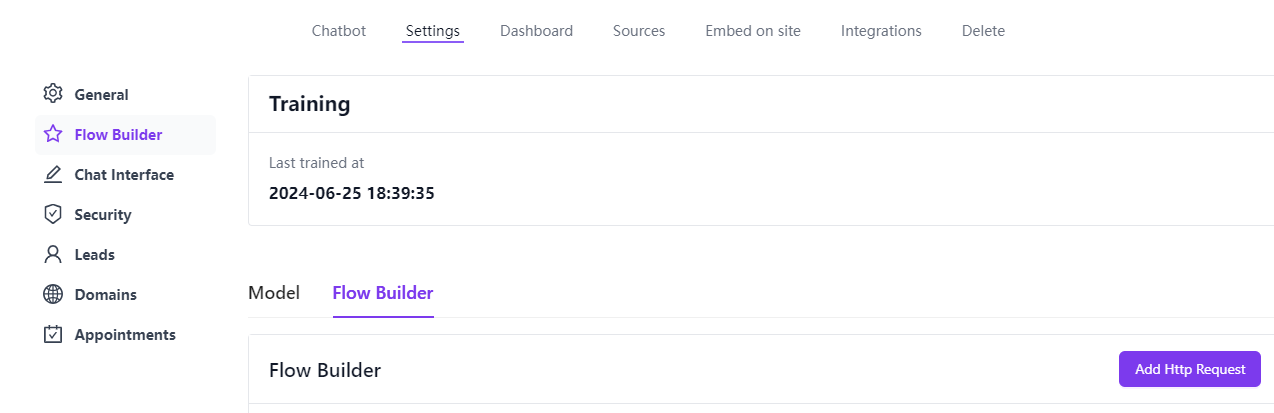
4. Click the "Add Http Request" button.
5. Choose the "get_order_details" template.

6. Configure the request settings as needed.
Fill in the necessary request information, including the URL, parameters, and authentication details.
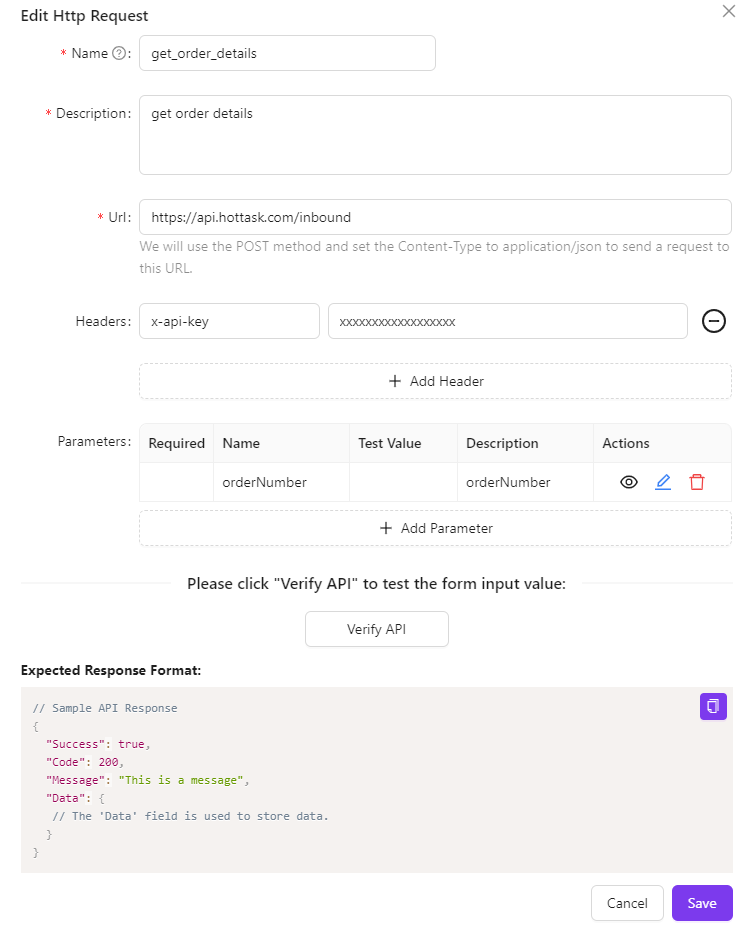
7. response
Note that the response from this interface should follow the structure below.
// Sample API Response
{
  "Success": true,
  "Code": 200,
  "Message": "This is a message",
  "Data": {
   // The 'Data' field is used to store data.
  }
}
8. “Verify API
Click the “Verify API” button. If the interface operates correctly and returns the expected response, the validation will pass.
9. Click the “Save” button.
10. Test
Test the GPT API call to verify it works correctly and returns the expected results.